Upgrading your facility with a premium smartboard interactive whiteboard resolves corporate training disconnects permanently. This smart hardware choice guarantees real-time audience engagement while boosting baseline presentation efficiency metrics significantly.
Traditional dry-erase markers or static projection screens frequently cause severe audience attention loss during lengthy training sessions. Conversely, modern high-definition touchscreen panels allow users to manipulate complex multimedia content fluidly with simple hand gestures.
Furthermore, this continuous digital workflow minimizes physical print resource waste, slashing your annual office supply budgets. Ultimately, this reliable technology foundation maximizes long-term information retention while supporting highly collaborative workspace culture trends. Now, let us examine the core presentation bottlenecks that make traditional analog whiteboards highly ineffective.
The Engagement Bottleneck: Why Traditional Teaching Boards Fail Modern Teams
Every experienced educator understands the deep frustration of watching students drift off during critical lectures. This quiet attention drain typically stems from the passive, one-way nature of old blackboards and static projectors.
How Static Presentation Slide Formats Accelerate Meeting Room Fatigue Loops
Standard projector systems operate on a rigid, non-interactive visual structure during corporate training workshops. The speaker clicks through flat text slides while the audience sits silently in a dark room.
Subsequently, real-time collaboration stalls because team members cannot edit or mark up the display files directly. This restrictive boundary limits creative brainstorming, driving up the total time required to finalize quarterly project plans.
Why Messy Dry-Erase Boards Struggle to Support Hybrid Working Teams
Old ink whiteboards require constant manual cleaning, leaving ghosted marker stains across your meeting room walls. Furthermore, remote workers cannot see physical notes clearly through standard laptop webcams during hybrid video calls.
Consequently, your offshore team misses vital strategic context, creating costly operational alignment errors down the line. Therefore, partnering with an experienced global hardware provider to secure a interactive learning display remains completely necessary.
Technical Core: Deconstructing the Mechanics of High-Definition Collaboration Boards
To conquer distant, fragmented office spaces, digital product engineers completely re-engineered standard commercial screen components. Modern digital displays combine ultra-wide viewing angles with robust metal construction to optimize high-traffic workplace usage.
Harnessing Multi-Touch Infrared Sensors for Natural Hand Writing Smoothness
Elite digital boards utilize advanced touch sensor matrices to track multiple pen inputs simultaneously without lag. Instead of experiencing delayed lines, your team can write, draw, and erase digital ink fluidly with zero friction.
As a result, your group workflows stay completely energetic, fast-moving, and highly productive during morning strategy sprints. Your team captures every single breakthrough idea easily, translating quick whiteboard sketches into actionable digital files instantly.
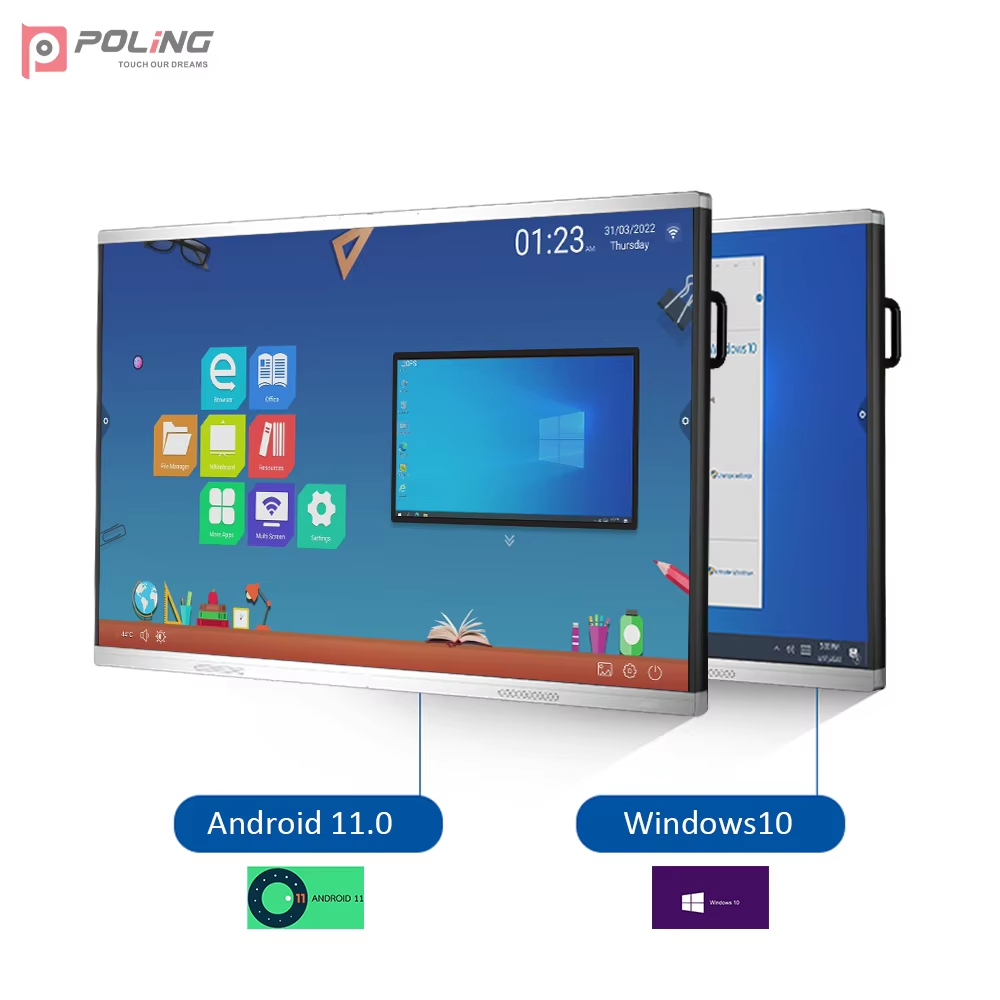
The Decisive Collaborative Power of the Poling PL-75Q2 System
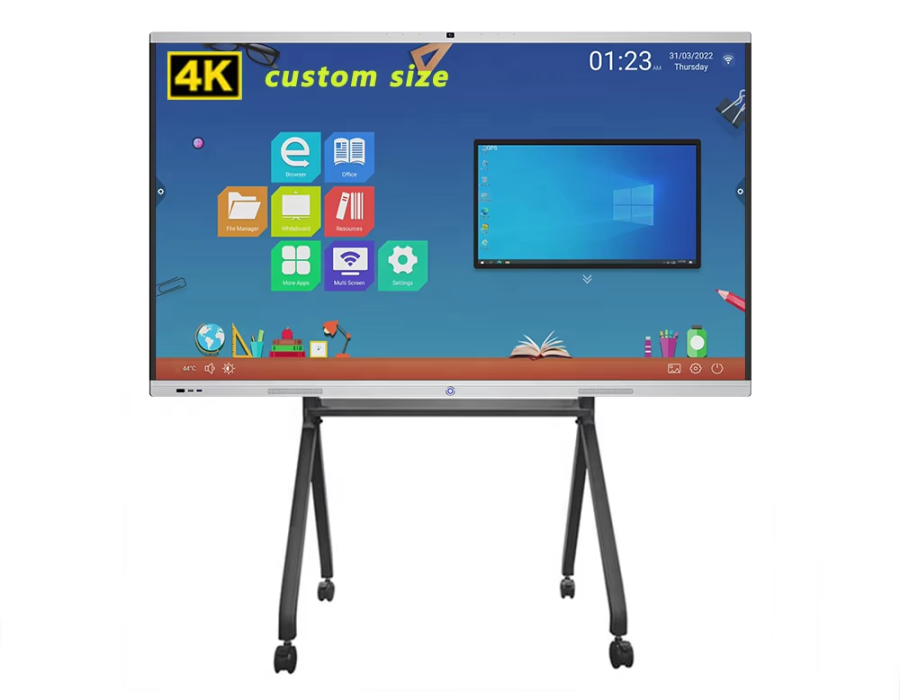
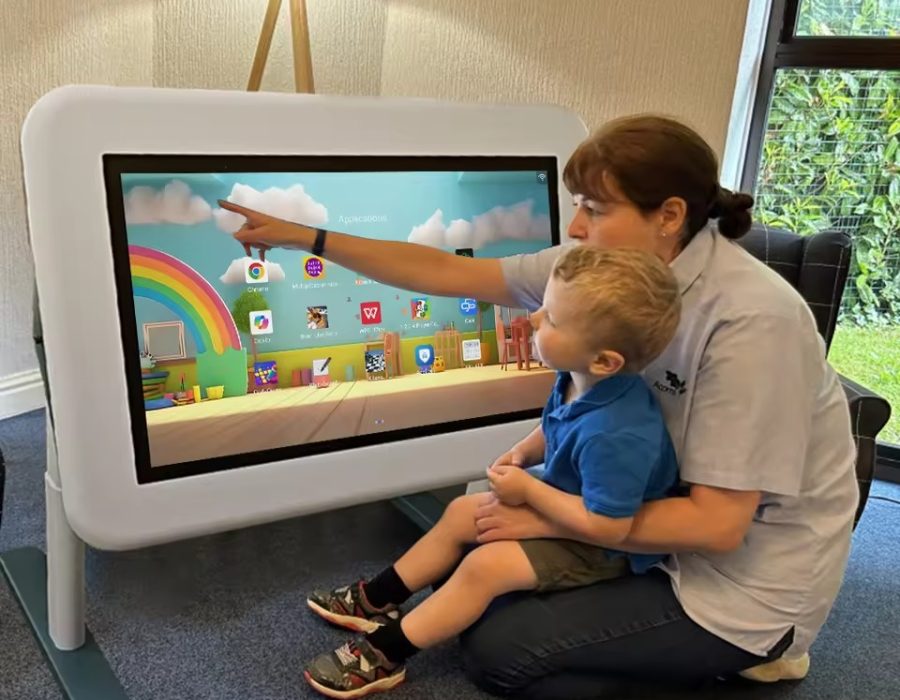
Enterprise facilities require durable hardware configurations to maintain smooth performance across daily multi-department presentation sessions. To meet these high demands, the Poling PL-75Q2 Interactive Whiteboard enhances communication, collaboration, and presentation efficiency perfectly.
-
Premium Visual Field: Features a 55-inch high-definition display panel with a wide 178° viewing angle.
-
Crisp Room Visibility: Ensures absolute text legibility from every single seating position in the room.
-
Durable Aluminum Frame: Combines structural metal strength with a sleek, modern appearance for executive offices.
-
Space Saving Design: Built with a foldable design for flexible installation convenience in small spaces.
Performance Matrix: Static Projectors vs. Smart Interactive Whiteboards
| Workplace Performance Metric |
Old Style Static Projector Systems |
Smart Interactive Whiteboards |
| Real Time Annotation |
None (Requires laptop mouse inputs) |
Perfect (Write directly on screens via touch) |
| Ambient Light Legibility |
Poor (Requires blinds drawn closed) |
Exceptional (Bright LED backing cuts glare) |
| Remote Team Integration |
Hard (Fails to share active markup notes) |
Instant (Syncs touch inputs across networks) |
| System Maintenance Needs |
High (Requires expensive lamp replacements) |
Minimal (Solid state components run reliably) |
| Installation Versatility |
Fixed (Requires ceiling mounting brackets) |
Flexible (Rolls on carts or folds away neatly) |
Strategic System Benefits: Maximizing Information Flow and Connectivity
Integrating a modern collaboration board solution into your facility design delivers immediate, tangible financial returns. This structural hardware upgrade transforms traditional, boring lecture halls into highly dynamic corporate digital content hubs.
Powering Smooth Daily Workflows via Balanced System Hardware Processing
Hardware lag can destroy the creative momentum of a fast-paced corporate brainstorming workshop session. Fortunately, the PL-75Q2 operates on a highly stable system configuration packed with 2GB RAM and 8GB storage.
This internal engine delivers smooth performance for daily teaching, heavy presentations, and intensive interactive digital applications. Your applications launch instantly without freezing up, allowing speakers to maintain complete control over their presentation timing.
Achieving Global Hardware Deployment with Wide Range Power Profiles
Deploying technology networks across international branch offices requires hardware that adapts to local electrical grids easily. The PL-75Q2 solves this regional compliance problem by supporting a wide voltage range from 110V to 240V.
Furthermore, the unit guarantees reliable operation within temperature spans from 0°C up to 40°C. This robust environmental tolerance ensures your global offices enjoy uniform presentation experiences, regardless of local climate fluctuations.
Connection Protocol: Setting Up Your Smartboard for Seamless File Sharing
Achieving instant device pairing requires utilizing modern universal plug-and-play connections across your local media hardware network. Ensure your office technology setup crews execute these critical system configurations during every new boardroom rollout.
-
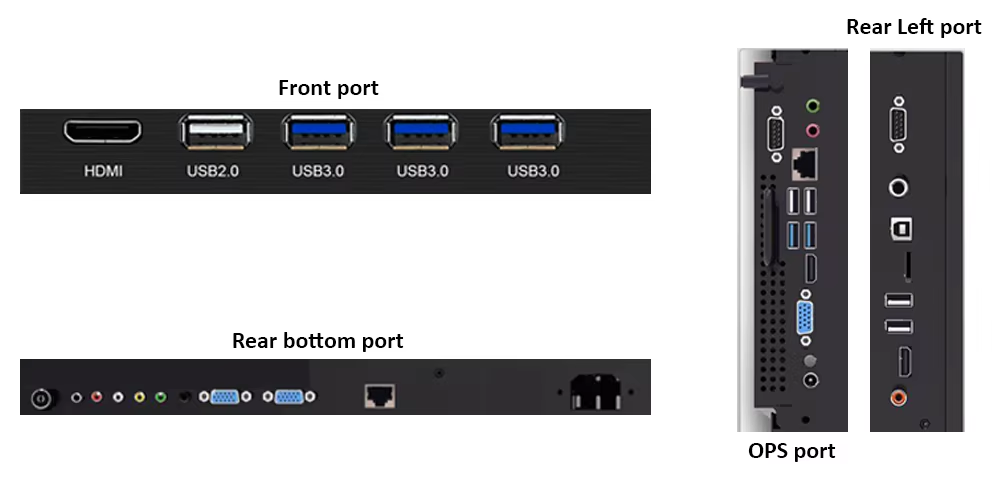
Connect Universal USB Lines: Utilize the built-in USB connectivity to link external laptops effortlessly.
-
Enable Smooth Content Sharing: Activate the integrated software tools to cast tablet media streams instantly.
-
Adjust Ambient Display Brightness: Match screen backlighting to your specific room lighting levels.
-
Sync Local Network Drives: Map corporate cloud folders directly to the display for fast file access.
Following this straightforward technical progression removes frustrating cable tangles, allowing your speakers to connect their gear instantly. It establishes an ideal presentation environment that allows your managers to focus completely on sharing great business ideas.
FAQ:
Why is a smartboard interactive whiteboard better for training than a standard smart television?
Standard commercial television screens only display media files passively, lacking the internal touch digitizers required for direct on-screen editing. A dedicated smartboard interactive whiteboard lets you write, highlight, and adjust digital documents on the fly during meetings. This active touchscreen control turns quiet listeners into enthusiastic workshop contributors, maximizing your corporate training returns.
Can we connect multiple external storage drives to the display system simultaneously?
Yes, the integrated USB connectivity channels allow you to plug in multiple flash drives and laptops easily. This extensive hardware compatibility enables different team members to share their presentation files without swapping cables constantly. The internal operating system reads your corporate data folders quickly, ensuring fluid document transitions during live reviews.
How does the wide 178-degree viewing angle improve crowded classroom engagement?
Narrow viewing angles cause colors to wash out when people look at screens from sharp side angles. The wide 178-degree viewing field of the PL-75Q2 preserves crisp contrast for students sitting far off-center. This optical clarity ensures every single person in the room reads your lecture slides perfectly without straining.
What business tasks benefit most from deploying an interactive display solution?
Whether used for teaching, training, brainstorming, or business presentations, this interactive whiteboard offers an efficient digital solution. Design teams can edit product blueprints collaboratively, while sales executives can deliver highly memorable pitches to key buyers. The flexible software tools adapt to any professional workflow, making it an incredibly versatile office asset.
Future-Proof Your Corporate Spaces with Interactive Tools
Relying on old static presentation screens leaves your business communication vulnerable to digital fatigue and team disconnects. You cannot expect to inspire innovation if your staff members constantly space out during dry slide lectures. Upgrading your building technology infrastructure to leverage a premium smartboard interactive whiteboard updates your presentation workflow completely. This strategic hardware shift balances crisp high-definition optics with smooth system memory processing to optimize team output.
Stop letting dry marker fumes and clunky projector connections disrupt your corporate collaboration milestones this quarter. Invest in field-proven, low-maintenance digital displays that enhance your communication flow and deliver perfect visual clarity. Your trainers will love the effortless USB file sharing, and your executive board will appreciate the fast meeting conclusions. Modernize your workplace equipment strategy today to secure absolute collaborative control over your organization’s daily information footprint.

 by
by