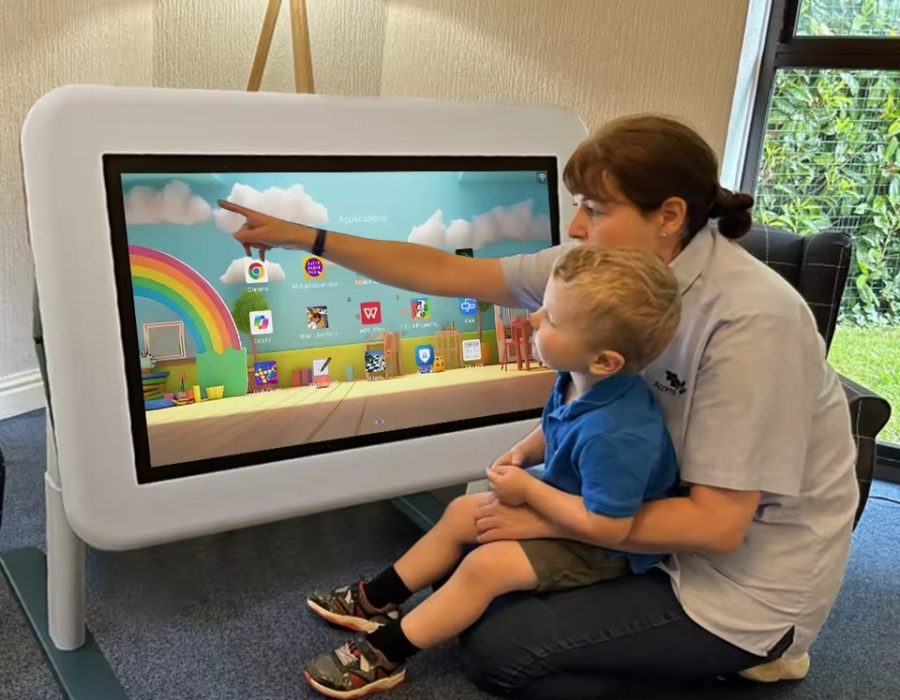
Deploying a 75 inch interactive whiteboard instantly solves line-of-sight and legibility issues in large learning spaces. This strategic technology upgrade guarantees crisp 4K visual clarity for every seat while driving active, multi-student collaboration.
Standard 65-inch panels often strain student eyes sitting beyond twenty feet, causing focus drops and lost retention during lectures. Conversely, 75-inch interactive displays provide the exact visual real estate needed for split-screen lesson plans, multi-column notes, and detailed scientific diagrams.
Furthermore, anti-glare glass and multi-point touch grids allow groups of students to solve complex problems together simultaneously. Recent global market surveys show that large-format panels over 75 inches lead the smart classroom transition worldwide. Ultimately, adopting a 75-inch interactive ecosystem protects your school’s EdTech investment and improves daily student learning outcomes. Now, let us examine why smaller screens create cognitive bottlenecks in spacious lecture halls.
The Visual Bottleneck: Why Smaller Screens Fail in Spacious Classrooms
Every experienced educator understands the frustration of seeing students in back rows squint to read lesson content. This common classroom hurdle happens because smaller displays lack the physical surface area needed for deep room viewing angles.
How Screen Geometry Limits Visual Legibility Across Long Distances
Classroom size is fundamentally a visual geometry problem. Standard 55-inch and 65-inch screens work well in small seminar rooms, but they fail in classrooms deeper than twenty-five feet.
When a teacher displays a complex math equation or a historical map, smaller screens force font sizes down. Consequently, students sitting far away lose track of the material, leading to passive distraction and lower test engagement. Therefore, selecting a spacious large classroom interactive flat panel becomes essential to ensure equal visual access for every student.
Why Projector Shadows and Lamp Replacements Disrupt Active Lessons
For years, schools relied on traditional bulb projectors to cast large images onto white walls. However, teachers constantly blocked their own presentation slides, casting dark hand shadows across the lesson content.
Furthermore, dim projector bulbs require dark rooms, which naturally induces drowsiness during afternoon lectures. Switching to a direct-lit smart digital display for schools eliminates shadows completely, delivering bright, vibrant visuals under full overhead lighting.
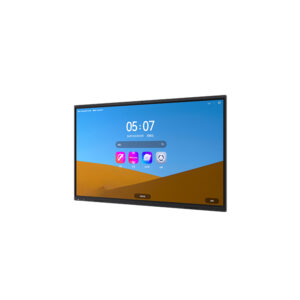
Technical Core: Inside the Architecture of 75-Inch Interactive Flat Panels
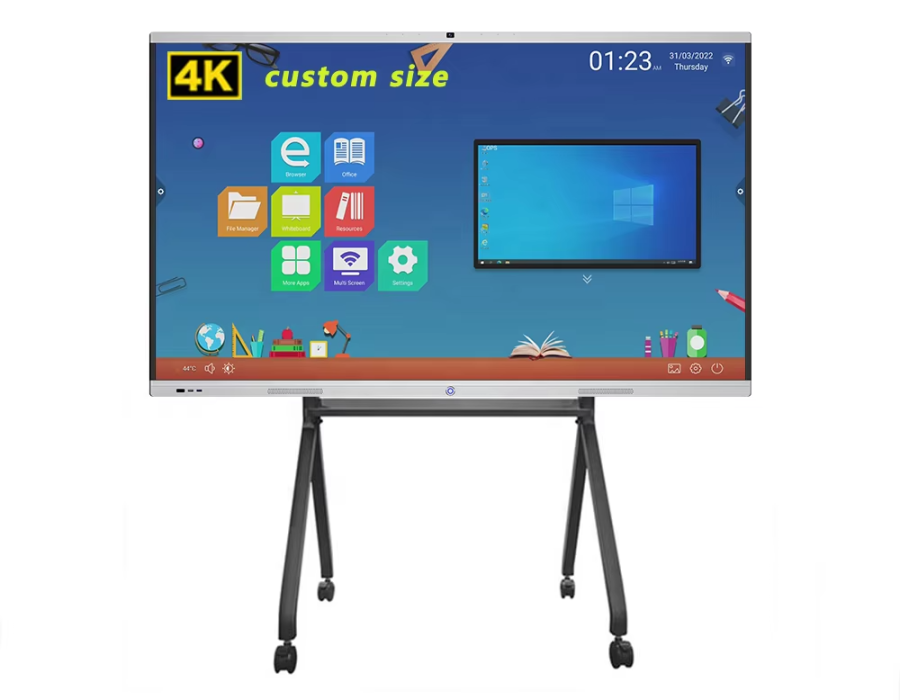
To meet the demands of modern connected classrooms, EdTech engineers packed advanced optical and digital hardware into 75-inch display frames. These systems combine ultra-high-definition 4K resolution with rapid multi-point touch sensors.
Unlocking Canvas Multitasking with Ultra-High-Definition 4K Resolution
Moving up to a 75-inch display panel opens up valuable visual real estate for interactive lesson delivery. Teachers can open a digital textbook on one side while maintaining a persistent note-taking canvas on the other:
-
Split-Screen Functionality: Run a video stream and an active annotation board side-by-side without crowding text.
-
High-Density Touch Points: Support up to forty simultaneous touch points, allowing multiple students to write together smoothly.
-
Anti-Glare Tempered Glass: Block harsh window reflections, keeping colors vivid from acute side-seat angles.
-
Low Blue Light Filters: Protect young eyes during long study sessions, reducing visual fatigue significantly.
This robust hardware combination creates a flexible learning hub, turning passive lectures into active group discovery sessions.
Future-Proofing Classrooms with Modular OPS Computing and Android OS
Modern 75-inch panels feature built-in Android operating systems along with Open Pluggable Specification (OPS) slots for Windows modules. This hybrid computing setup lets schools run native educational apps, access cloud storage, and connect to Learning Management Systems (LMS) seamlessly.
Recent industry updates from major EdTech events highlight how leading manufacturers are integrating AI tools directly into display software. These smart features convert handwritten notes into clean digital text and auto-generate quick quizzes from uploaded lesson slides.

Performance Comparison: Traditional Projectors vs. 75-Inch Interactive Displays
| Feature / Metric |
Traditional Lamp Projectors |
75-Inch Interactive Flat Panels |
| Visual Resolution |
Low (720p or 1080p washed out by sunlight) |
Exceptional (Native 4K Ultra-HD with anti-glare glass) |
| Maintenance Burden |
High (Requires frequent lamp and filter changes) |
Near Zero (Durable LED backlight with 50,000+ hour lifespan) |
| Multi-Student Touch |
None (Requires a single physical pointer) |
Highly Responsive (Up to 40 simultaneous touch points) |
| Ambient Light Performance |
Poor (Demands dark, blind-drawn rooms) |
Perfect (High nit brightness cuts through ambient light) |
| Interactive Software |
Basic (Depends heavily on connected external PCs) |
Integrated (Built-in Android OS, cloud apps, and casting) |
Strategic Benefits: Enhancing Student Engagement and Simplifying IT Management
Investing in a high resolution multi touch board framework yields immediate, long-term dividends for both teachers and school technology administrators. It bridges the gap between digital content and physical group participation effortlessly.
Boosting Active Participation with Wireless Screen Mirroring and BYOD Support
Today’s students thrive when they can share their work directly from their personal devices. A modern 75 inch interactive whiteboard setup supports seamless Bring Your Own Device (BYOD) wireless casting.
Students can project their assignment solutions from tablets or laptops onto the main screen with a single tap. The teacher can then annotate directly over the student’s work in real-time. This collaborative flow keeps the entire class engaged, creating a dynamic, student-led learning environment.
Reducing Total Cost of Ownership for District IT Departments
While initial acquisition costs matter, school IT directors focus heavily on long-term operational expenses. Old projectors suffer from high failure rates, requiring frequent bulb replacements and costly maintenance calls.
In contrast, solid-state LED interactive displays run reliably for over fifty thousand operational hours with zero consumable parts. Centralized Mobile Device Management (MDM) software allows IT staff to push firmware updates and manage power schedules remotely across hundreds of classrooms.
1.Calculate Viewing Distances and Mounting Height:Room Assessment.
Measure the room depth to confirm seats extend beyond twenty feet. Position the bottom of the frame roughly 36 inches above the floor for easy student reach.
2.Mount the Heavy-Duty Wall Bracket or Mobile Stand:Hardware Installation.
Secure a heavy-duty wall mount to structural wall studs or assemble a motorized mobile cart rated for 75-inch display weights.
3.Configure Security and Wi-Fi Connections:Network Setup.
Connect the display to the school’s secure VLAN network. Enroll the device in your central MDM software for remote system management.
4.Execute Hands-On Software Training:Teacher Onboarding.
Train teaching staff on essential tools: digital whiteboarding, wireless screen casting, cloud storage access, and split-screen multitasking.
FAQ:
What is the ideal classroom size for a 75 inch interactive whiteboard?
A 75 inch interactive whiteboard works best in medium to large classrooms designed for 25 to 35 students, where the furthest row of seats sits between 15 and 28 feet from the front wall. For massive lecture halls seating over fifty students, an 86-inch display or a dual-panel setup is recommended.
Can teachers use a 75-inch display without plugging in an external computer?
Yes, absolutely. Modern interactive panels feature built-in Android operating systems equipped with web browsers, digital whiteboards, document viewers, and cloud drive access. Teachers can walk into the room, power on the board, and open their lesson plans directly from cloud accounts like Google Drive or OneDrive.
How do anti-glare glass panels improve classroom viewing angles?
Anti-glare glass uses a subtle, chemically etched surface treatment that diffuses direct light reflections from windows and overhead fluorescent tubes. This optical treatment prevents hot spots on the screen, allowing students seated at sharp side angles to see bright, accurate colors without annoying light reflections.

Transform Large Learning Spaces with Advanced Interactive Displays
Relying on outdated projectors or undersized displays leaves your students disengaged and creates unnecessary headaches for your teaching staff. You cannot build a modern, technology-driven curriculum if students in the back rows cannot read the board. Upgrading your classroom technology to leverage a collaborative classroom display system powered by 75-inch panels updates your learning environment completely.
Stop letting dim screens and tiny text limit your school’s educational potential this academic year. Invest in high-durability, feature-rich 75-inch interactive displays that maximize visual clarity and spark collaborative group learning. Your teachers will love the intuitive software, your IT team will appreciate the low maintenance, and your students will enjoy an immersive learning experience. Modernize your campus hardware today to take control of your district’s digital learning outcomes!


 by